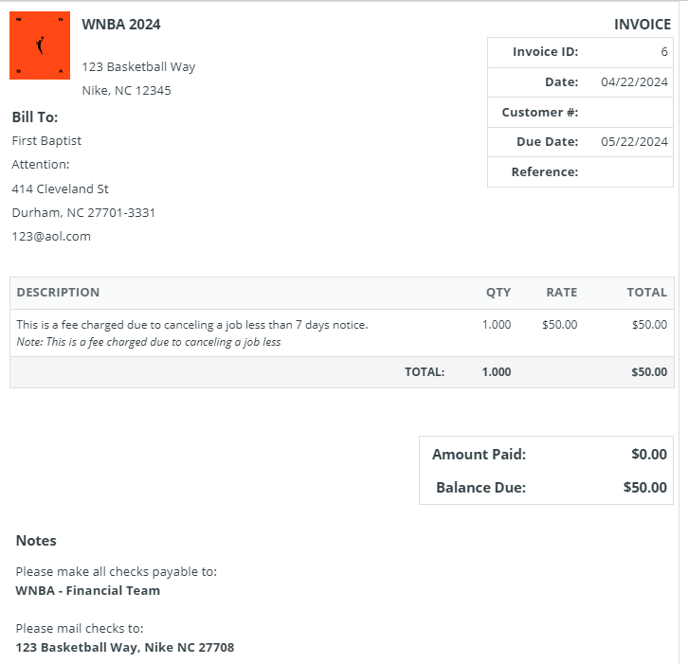
Administrators can now set specific employers to be charged a last-minute cancellation fee when details are terminated under a desired notification period.
Whether an employer cancels 24 hours or more in advance, administrators can now decide to charge an employer a specified fee for the cancellation inconvenience. In order to set this up, two things have to be in place:
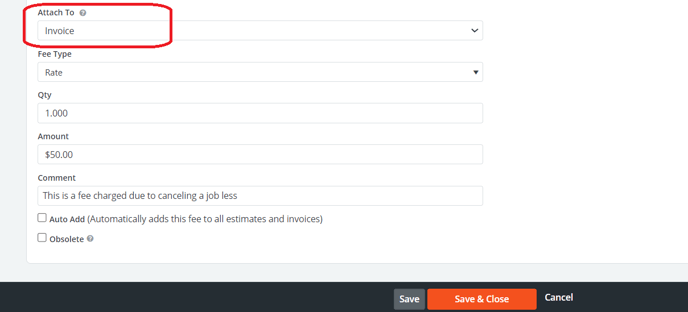
1. A cancellation fee must exist in the fees section (Billing>Fees>Fees Search). To create a last-minute cancellation fee, click "new fee" and set the desired language and rate. The fee MUST be set to attach to invoice and saved.

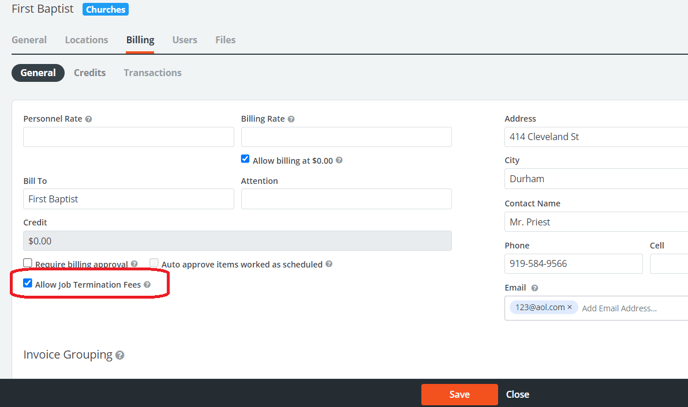
2. An employer must have the "Allow Job Termination Fee" checkbox, checked and saved within the employer profile.
(Employers>Employer Search>Employer profile>Billing Subtab)
Once both of the above are set in place, any job on the calendar for the employer can be cancelled by accessing the job and clicking the "termination" button at the bottom of the page. Oce the button is clicked, a question to charge the termination fee will appear, the checkbox will default as checked as intending to charge the fee, but administrators can choose to proceed or decline the offer to charge the fee by unchecking the box and moving forward.
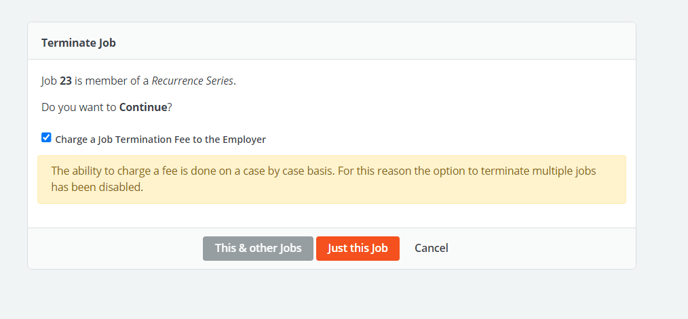
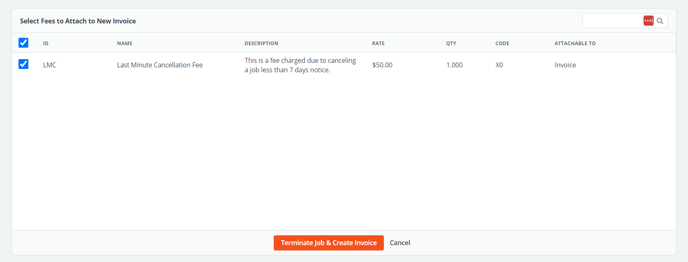
If choosing to charge the fee, click "This & other Jobs" or "Just this Job" to continue. A list of available fees will appear for selection. Click the checkbox next to the fee/fees desired to apply to an invoice for this termination. Click "Terminate Job & Create Invoice" to continue.
 Confirm the charges to generate an invoice.
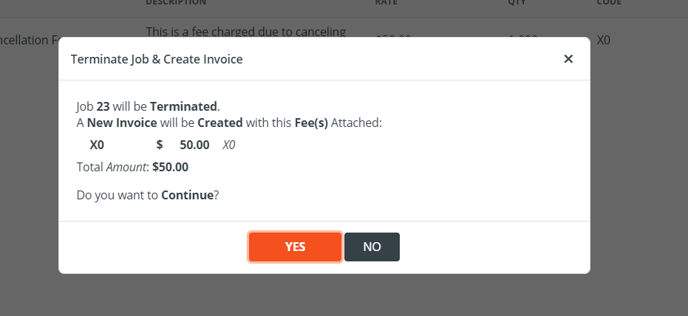
Using the selected fees, the PowerDetails platform will generate a new invoice ONLY containing the charges related to the last-minute cancellation. Administrators can interact with the invoice like other existing invoices in terms of adjusting, editing, voiding, and searching within invoice search. (Billing>Invoice Search)