
Employers with a user account can manage the locations that employees will work at by clicking Jobs on the top menu bar and selecting Locations.
To add a location or edit an existing one, hover over Jobs on the top menu bar and click Locations.
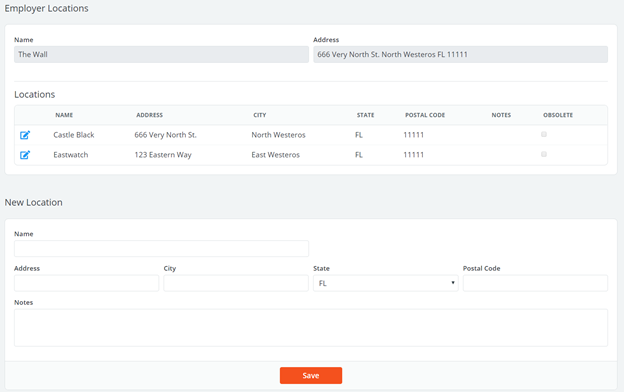
You can add a new location by filling in the fields at the bottom of the page (all fields except Notes are required) and clicking Save.
To edit an existing location, click the Edit icon next to the corresponding location. Make any updates necessary or mark check the Obsolete box if personnel will no longer work there. Rendering locations as obsolete will keep past information on file, but prevent it from being used for future jobs.
Any active location listed on this page can be selected when requesting a job.