![pd-logo-color-1.png]](https://support.powerdetails.com/hs-fs/hubfs/pd-logo-color-1.png?width=200&height=40&name=pd-logo-color-1.png)
To create an event, hover over Jobs and click Events. Any previously created events will show in this list.
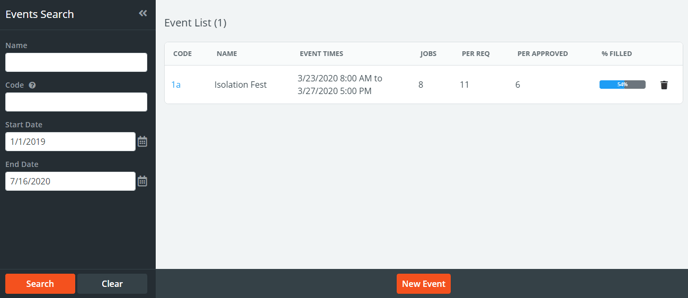
The columns presented in this list will give a snapshot of the progress in staffing the event. This includes the number of Jobs the event contains, how many personnel were requested (Per Req) on all of the jobs included, how many personnel were approved (Per Approved) to work the event overall, and progress percentage (% Filled).
To create a new event click the New Event button at the bottom of the page.
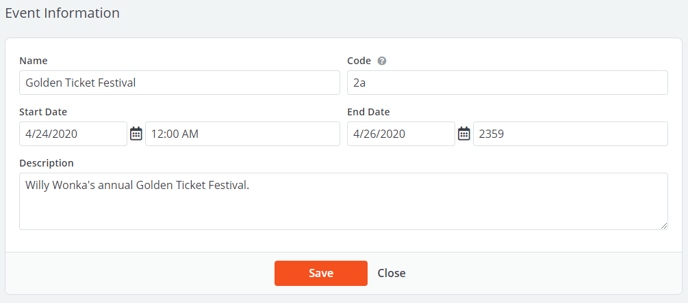
The table below explains the fields presented on the new event form.
| Column | Description |
| Name | Name of the event. |
| Code | Unique code to identify this event. This field is alphanumeric and can contain symbols. |
| Start/End Date | Overall date and time range of the event. |
| Description | Optional field for additional information about the event. |
![]() Attaching Jobs to an Event
Attaching Jobs to an Event
After pressing Save on the new event form, you will be able to attach jobs to this event.
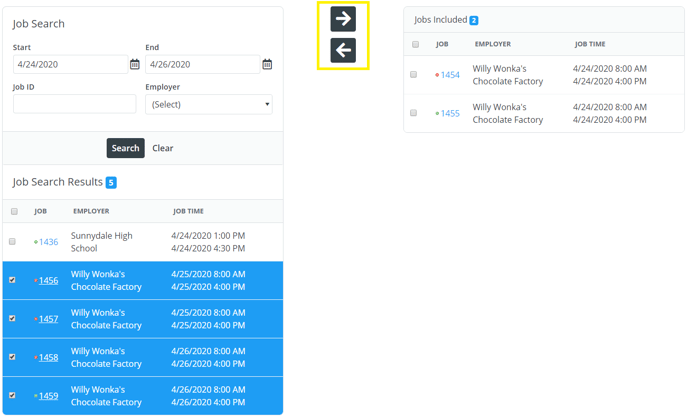
The Job Search section below the form presents a pre-filled search of upcoming jobs within the date range for the event. Enter any additional search criteria such as a Job ID or Employer name to find relevant jobs.
Check the boxes of the jobs you would like to attach to the event and press the right arrow to move them to the right side where the included jobs will be listed. You can move jobs in or out of the event at any time using the left and right arrows.
![]() Monitoring and Reporting on Events
Monitoring and Reporting on Events
Besides the main Events Search page above, PowerDetails currently offers two reports for Events. The reports "Invoice by Event" and "Event Report" can be found by navigating to Advanced and clicking Reports, then Standard Reports.
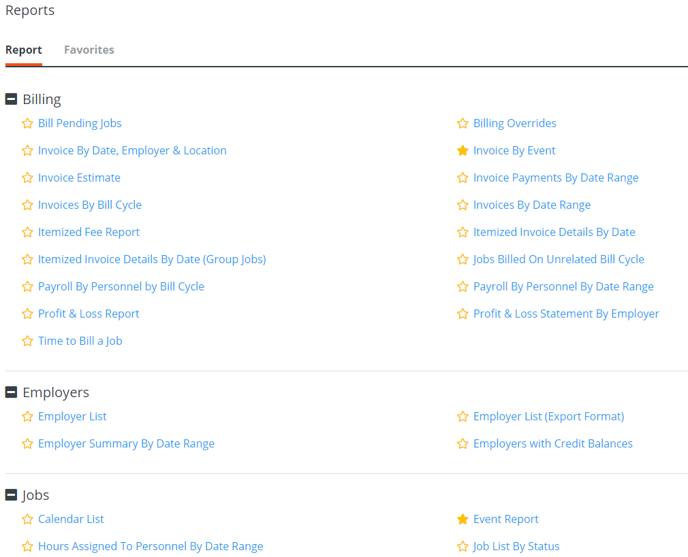
These two reports offer details breakdowns on the event, and a compiled "invoice" that can group specific jobs together.
Note: The "Invoice by Event" report references actual invoices compiled in PowerDetails. These can be managed within the actual Billing section of the system.