
Administrator Role
The administrator login is the master login type. With this type of account, you have full access to all aspects of your site. Administrators can perform tasks such as creating employer and personnel accounts, creating and managing jobs, and managing site settings. You have full control over aspects such as billing, rules, and reports.The administrator login is the most comprehensive login type. Administrators must obtain their user names and passwords from a PowerDetails Support contact when initially getting started. Afterwards, administrators can create new admin accounts under the Personnel menu.
Administrators have the ability to perform tasks like:
- Managing site configurations
- Creating personnel profiles, employer user profiles, and employer profiles
- Create jobs
- Approving job applications (manual approval)
- Managing invoices
- Receiving payments for invoices
- Reviewing reports and monitoring site activity
Upon login, you'll see the administrator home page.
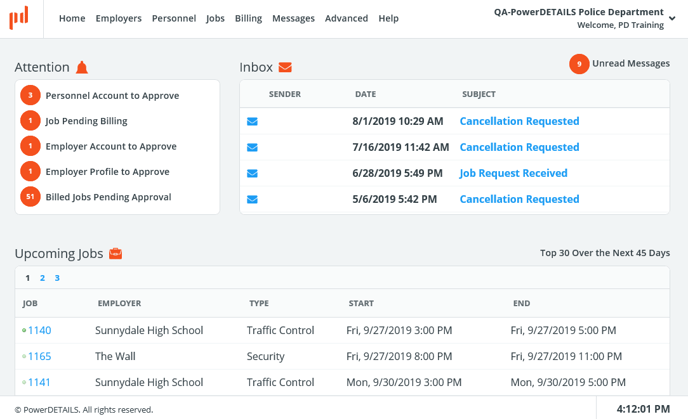
For information about the sections on this page, see the following topics:
- Messages and alerts
- Approving job requests and job applications
- Approving personnel account requests
- Approving employers profile requests
- Approving employer user account requests
- Job status icons
- Navigating the job calendar
![]() Employer User Role
Employer User Role
Contacts from companies that are requesting employees from your agency can be set up with an Employer User Account. They either get their user IDs and passwords from an administrator who created their account or by requesting their own accounts and receiving approval by an administrator.
Employer Users have the ability to perform tasks such as:
- Requesting jobs by building them in PowerDetails so administrators can review, approve and release them to their staff
- Viewing upcoming scheduled jobs
- Managing the locations where the requested employees will work
- Managing company billing information
- Checking invoices
- Making credit card payments online
Upon login, you'll see the employer home page, an example of which is shown below.
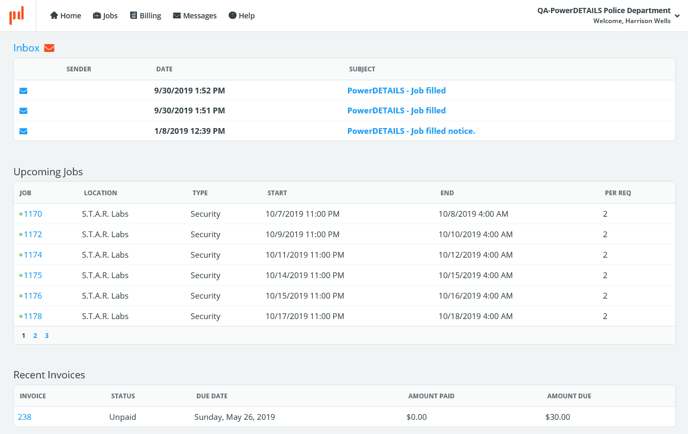
For information about the sections of this page, please see the following topics:
![]() Personnel Role
Personnel Role
Employees will have their own personnel logins in order to apply for jobs. They either get their user IDs and passwords from an administrator who created the account or by requesting their own accounts. Personnel have the ability to perform tasks like signing up as a primary or backup employee for a job and to report their hours worked.
Note: Administrators have the ability to grant certain administrative privileges to personnel. These employees will have more options than regular personnel-login types. See Personnel administrators for more information.
Upon login, you'll see the personnel home page, an example of which is shown below.
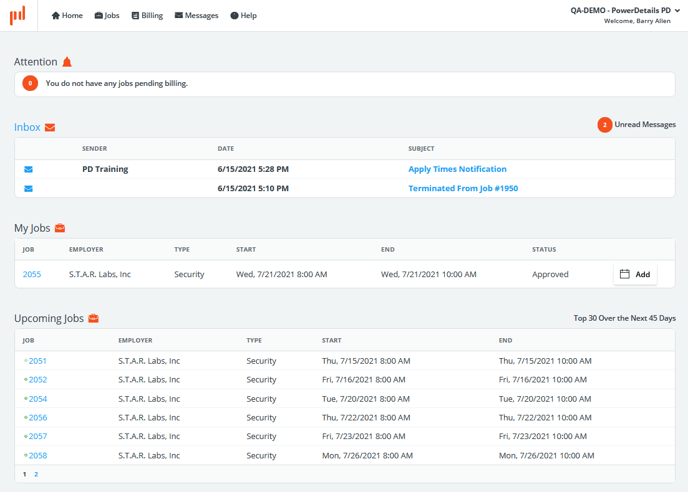
Note: Personnel administrators have an Employer option on their top menu bar.
For information about the sections of this page, please see the following topics:
- Messages and alerts
- Creating jobs (personnel administrators)
- Navigating the job calendar
- Applying for jobs